Basic querying
Fast track: In this field, you will learn how police formulates queries from English text by using SELECT, WHERE, OR and AND keywords.
If you already know this part of SQL, you can save time by reading only the story line, the exercises, the solutions and the framed tricks and notes.
Chapter 1: The Suspect's Description
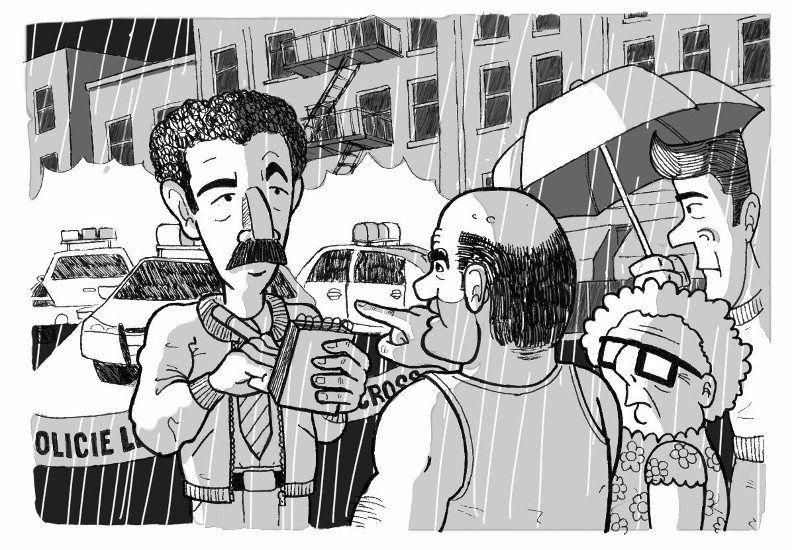
Rain was falling and slowly washed away the blood in the gutter. The forensic team was making photos and preparing to take away the body for autopsy. Such a shame, this young fellow had his whole life ahead of him. But now that's over. A knife through the chest will do that to you.
Simmons was interviewing bystanders. "Dick, come quick. I think we've got something". Anderson was surprised, usually interviews didn't produce quick results like that. But the man had some useful news. Apparently a woman saw a man fleeing the crime scene. She saw him clearly running accross the street into the park.
Tall, male, black hair, between 20 and 30 years old. It's not much to go on, but it's enough to search the forensic database and make a list of suspects. Dick took out his phone and made a call. It's time for the geeks from the data science department to stop playing tetris and start doing something useful.
Exercise 1: Make a list of people.
Hints:
- Choose a table which seems to store people.
-
The basic structure of a select query is:
whereSELECT * FROM tablename*means you'll see every column, but you can replace it with a list of comma separated column names. -
Whenever you need examples, check the DuckDB documentation, or google it (don't forget to put duckdb in the search string, as it might be different on other databases).
Solution
SELECT * FROM person
| Note |
|---|
| SQL is case insensitive. Although it's not a very strong recommendation, convention says you should use uppercase characters for SQL keywords. It's useful because this makes the keywords stand apart from the table and column names. |
Exercise 2: Which hair colors does the police know about?
Hints:
- If you just query for the hair column of the person table, you see a hair color as many times as many person has that hair color. To remove all the duplicate values from the result, use the
DISTINCTkeyword afterSELECT.
Solution
SELECT DISTINCT hair FROM person
Exercise 3: Make a list of persons with black hair.
Hints:
WHEREcondition can be added to the query:SELECT * FROM tablename WHERE columnname = value- Text values need to be quoted like this: 'blue'.
Check your results
The query should return 49 rows.
Solution
SELECT * FROM person WHERE hair = 'Black'
Exercise 4: Make a list of persons that are male.
Hints:
- Yes/no values are often stored as 0 (meaning No) or 1 (meaning Yes), as it's very effective (needs just 1 bit).
- Numbers don't need quoting in queries.
Check your results
The query should return 81 rows.
Solution
SELECT * FROM person WHERE is_male=1
Exercise 5: Let's see who are the black haired males.
Hints:
- Conditions can be combined by logical operators:
AND,OR:SELECT * FROM tablename WHERE condition1 AND condition2 SELECT * FROM tablename WHERE condition1 OR condition2 - Consider the meaning of
ANDandOR. In the English language,ANDandORcan mean the same thing, so it doesn't help: - 'Gimme every Ben and Otto!'
- 'I don't care if he is a Ben or an Otto, give me!'
- The condition you write is evaluated for every row. So you want to construct a condition, which is true for males, and true for people with black hair, but not for people with blond hair.
Check your results
The query should return 23 rows.
Solution
SELECT * FROM person
WHERE is_male=1 AND hair='Black'
| Note |
|---|
| The order of the results doesn't depend on how you wrote the conditions, but depends on the order they are stored in the table. |
Our story continues...
Dick sipped his coffee, simultaneously scaldingly hot and disgustingly bitter. But it was still better than no coffee. Unfortunately, it turned out the list of suspects from the database was quite long. Too long. He doesn't have time to chase up half of New York. The description was not specific enough. Ugh. Dick started to feel a headache coming up.
But this investigation was not over yet.
Forensics found more, in the fresh mud near the park. A set of hasty footprints. From the pictures, made hurriedly before the rain washed everything away, forensics determined that the suspect had shoe size 45!
Exercise 6: Add an extra condition to your query from the previous exercise, to check for shoe size.
Check your results
The query should return 1 person: Neil Davis.
Solution
SELECT * FROM person
WHERE is_male=1 AND hair='Black' AND shoe_size = 45
Did we find the killer? Our story continues in the next section "Querying with tricky types"